
ShutItSpam
Get ShutItSpam
Download now and start using ShutItSpam on your Android device.
Key Features
The first AI that READS spam texts and calls - not keyword matching
Syncs nightly with the FTC official complaint database
Instant hang-up on documented robocalls
Political spam, phishing, SSN scams, MMS image scams - all detected
Mute-and-screen unknown callers (vibrate only)
Auto-deletes confirmed spam from Google Messages
Prefix blocking — silence entire area codes or number ranges
Contacts always ring through normally
Crowd defense — every phone learns from every phone
30-day free trial, then $9.95 one-time
About ShutItSpam
The first AI built to fight spam texts and calls. ShutItSpams AI reads every incoming message and call - understanding intent, not keywords. It catches what other blockers miss entirely: political fundraising blasts, fake verify-your-SSN alerts, Google Voice phishing, image-only MMS scams, and robocalls. Combined with the FTCs official complaint database and a self-learning crowd network, it terminates offenders before the second ring and auto-deletes confirmed spam threads from Google Messages. Contacts always ring through normally.
How-To Guides
Download & open the APK
Download the APK file, then tap it in your Downloads folder (or tap the download notification) to begin installation.
Android may ask you to allow the browser or file manager to install unknown apps — tap Settings on that prompt and toggle Allow from this source on, then go back.
Play Protect warning — tap "More details"
Google Play Protect may show a "Harmful app blocked" screen. Do not tap "Got it". Instead, tap More details ▾ to expand the options.
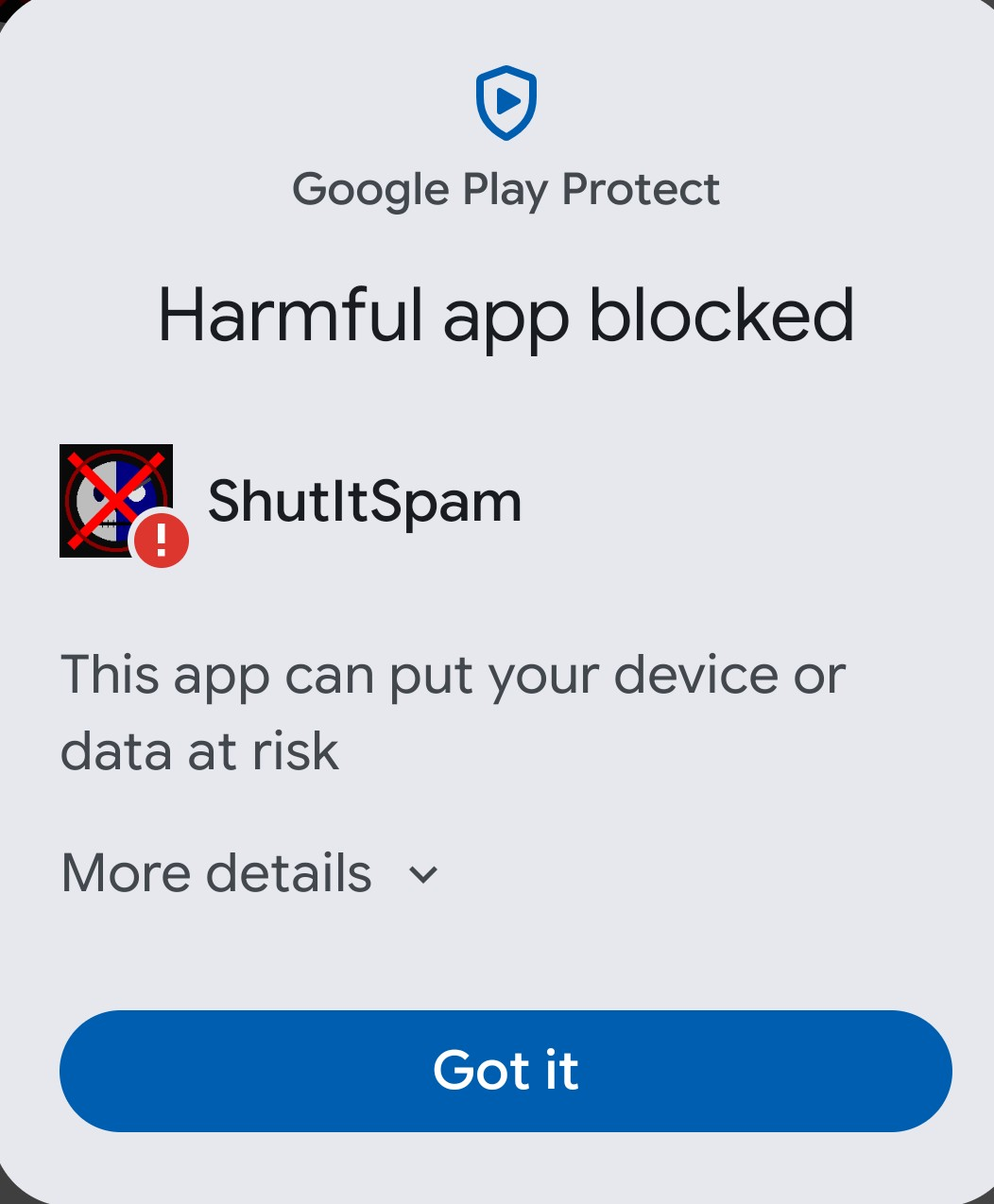
Tap "More details" to reveal the hidden option.
Tap "Install anyway"
After expanding the details, a new Install anyway option appears near the bottom. Tap it to continue with the installation.
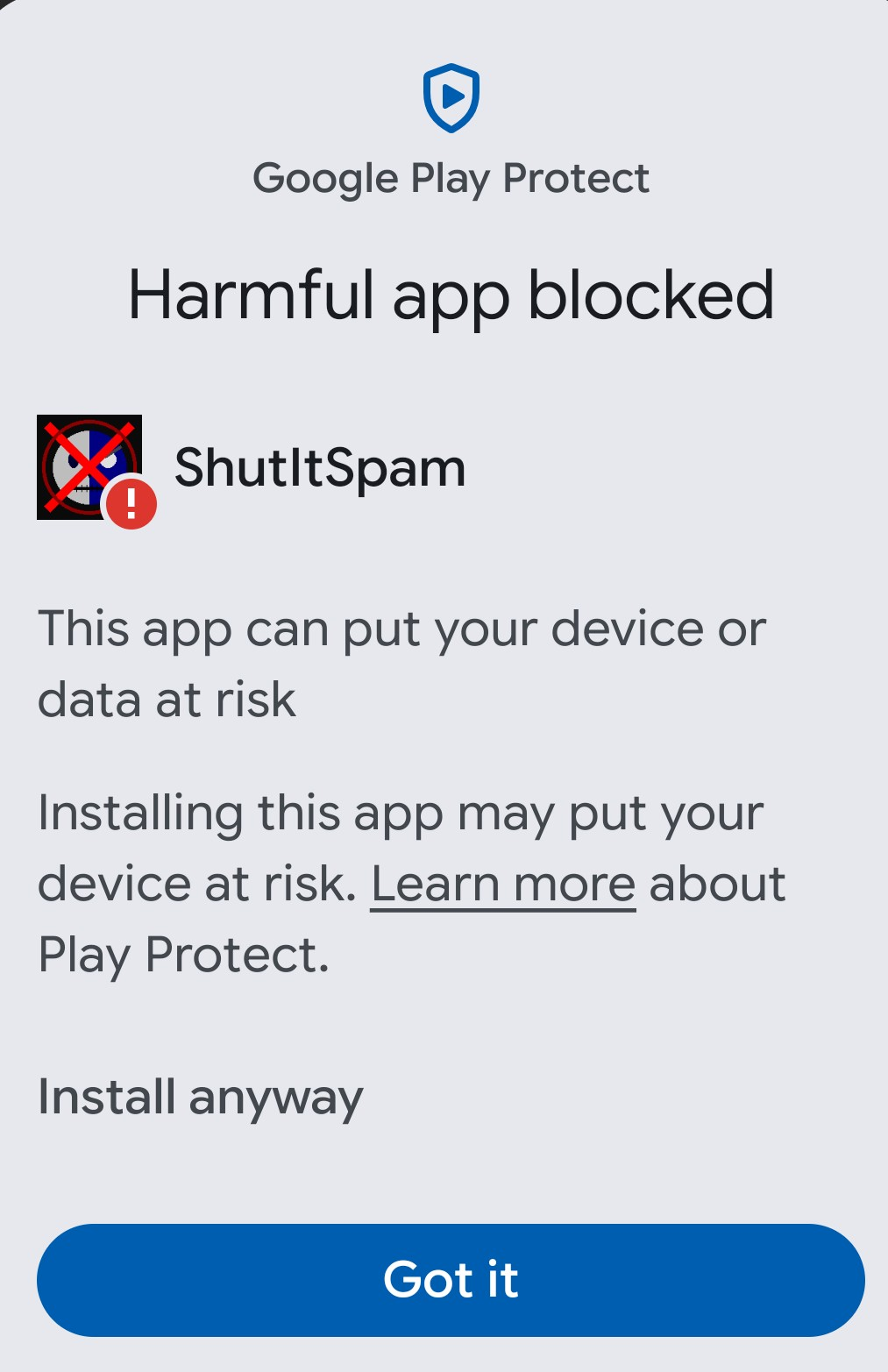
Tap "Install anyway" to proceed past the warning.
Finish the installation
The app will now install normally. Once finished, tap Open to launch it, or Done to exit the installer.
(Recommended) Revert your settings
For safety, turn off the "install unknown apps" permission afterwards:
- Open Settings → Apps → Special app access → Install unknown apps.
- Select the app you used (browser / file manager).
- Toggle Allow from this source off.
Enable the checkboxes inside the app
Open ShutItSpam and go to the Permission Center. Tap each item below so it shows a green ✅ checkmark (allow each Android permission prompt that pops up):
- Phone & call log access
- SMS — send / receive / read
- Contacts — never flagged
- Notifications
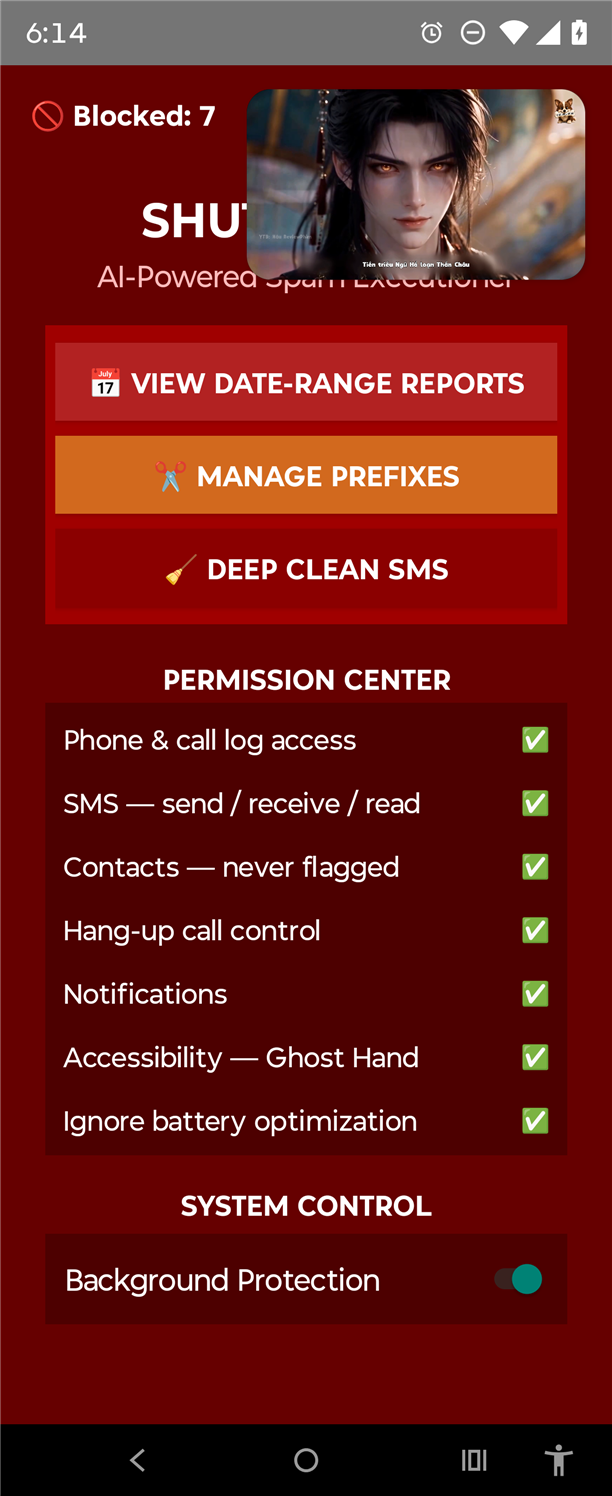
ShutItSpam — Permission Center with every row checked.
Switch on Background Protection
On the same screen, find the System Control section and switch Background Protection ON. This keeps the AI guardian running when the screen is off or the app is closed.
Android may also show an Allow background activity / Battery optimization prompt — choose Allow so the system does not suspend the app.
Open Android Accessibility settings
Ghost Hand lives in Android's system settings, not inside the app. Find it here:
- Open Settings → Accessibility
- Scroll down to the "Running apps" (or "Installed apps" / "Downloaded apps") section
- Find and tap ShutItSpam in the list
Turn on Accessibility and Ghost Hand
On the ShutItSpam accessibility screen, switch ON the two options shown:
- Accessibility — the main toggle; without it the service cannot run
- Ghost Hand — auto-answer / auto-dismiss control that taps through Google Messages to delete spam
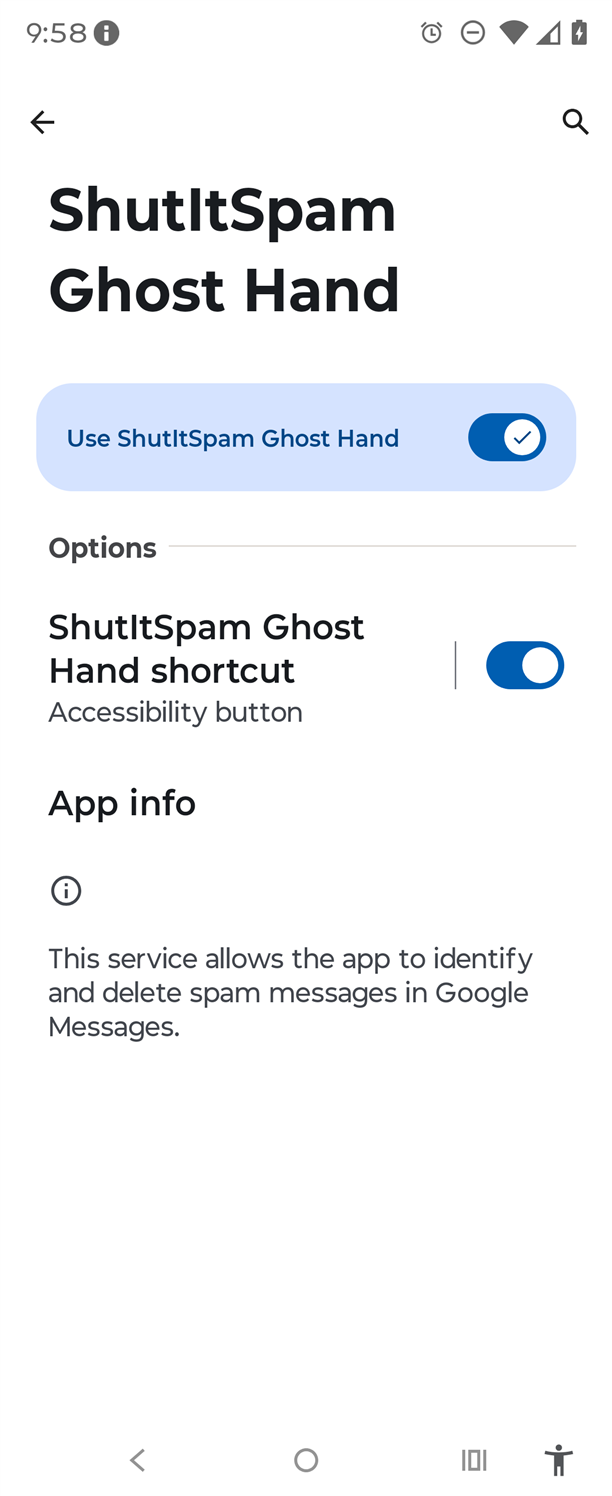
Tap "Allow" / "OK" on the confirmation dialog. Both toggle to ON.
Verify everything is on
Reopen ShutItSpam and check the Permission Center — every row should show a green ✅. If any item is unchecked, tap it to fix it.
Ghost Hand needs both toggles on, plus Google Messages installed and set as your default SMS app, for automatic spam deletion to work. You're all set!
App Information
Ready to try ShutItSpam?
Free to download. 30-day trial, then a one-time $9.95 unlock.
⬇ Download the APK